Monday, August 26, 2013

While I'm waiting for my GTD app...

While I'm waiting for NirvanaHQ to get their beta to a relatively stable place, I have been exploring other GTDbaseed solutions. Since I've started down this track, things like being able to tag a task with multiple contexts and sync across multiple devices have become mandatory necessities for me.

With that in mind, I found todo.txt. This text based GTD app is brilliant. It uses Dropbox to sync a simple text file that you can edit directly using a simple syntax on a desktop/laptop computer. It is small, simple and fast. I seriously contemplated covering over to todo.tx. The only thing that held me back was the lack of a decent desktop based rapid entry facility.

I still however highly recommend you check it out if you are looking for a small simple GTD based system for Android.

Monday, August 19, 2013

Goodbye Spotify, hello Google Music!

Google Music have finally made "Access All Area's" available in Australia. "Access All Area's" is the monthly subscription facility. I have been using Spotify for the last year or so as I wanted to be legit in terms of my music. Spotify was less than perfect, simply on the basis that I could not add to it all of the cool live tracks and the many variations of songs that I have downloaded over the years, not to mention my large CD collection. Google music does what Spotify does, with the addition of adding unique tracks and your CD collection.

One thing that I have found is that Google Music's search facility is not as good as Spotify's! (Go figure! They are a search company after all!) On a few occasions, I tried looking for tracks on Google music and thought that for whatever reason Google Music did not have access to the track. I then tried adding further information and it found the track. I have found that you need to spell the track and any additional information (band name, album name etc) perfectly otherwise you will get a "track not found" error.

Tuesday, August 6, 2013

Twitter photo issues on Android

Tried adding a photo to a Tweet on the official Android app all weekend but to no avail! It was just personal stuff so I wasn't too put out. When I tried to do so for work, well let's just say it got a little frustrating!

Five Google minutes later and I had my answer from the official Twitter help web site. Seems it's a known bug. The work around in the short term is go to Settings, Apps, then scroll down to the Twitter app. Do a Force Stop, Clear Data then Uninstall. Reboot your device then reinstall it. It should be good to go after that.

Thanks Twitter. Sort of.

Friday, July 5, 2013

Google Reader Replacement Solution

After freaking out about what to do post Google Reader, two organistions came to my rescue!

Ever since I can remember, I have been using GReader Pro on my phone and tablet as my Google Reader Interface. GReader Pro is solid, has a small memory footprint, has all the power user features you could ask for (including things like reading out articles to you) and as per my workflow setup, lets me easily flick articles to Pocket for reading later (even though it has its own "Save for later" function).

Problem was GReader Pro is a reader and does not host feeds on a web based aggregator. What to do?

Feedly was the most likely candidate for me in terms of web based aggregation, but the client, whilst looking really cool, was just a little too flaky for my liking. I was trying to use and like Feedly but the flakiness factor was too much for me to feel comfortable with it managing my 60 odd feeds and over 3000 news items each week.

I fired up GReader Pro a few days ago to pleasantly discover that GReader Pro now is able to use both Feedly and Good Old Reader as their back end!

So it is like nothing has changed for me! Feedly as my web based aggregator with GReader Pro as my sorter and sifter and finally, Pocket as my reader. Happy camper!

Thursday, May 23, 2013

Screwy paragraphs in Google Drive Document Editing

I've been writing up my semester paper for my masters. Thought I would go all out and use Google Document. It has been doing the trick so far (except it deals with footnotes in a quirky kind of fashion). One of the things I struck about 15 minutes ago and took, well 15 minutes to solve is the paragraph formatting tool. Most of your formatting gear is in the Format menu item as you would imagine. I set double space on my font and off I went.

Been working on this sucker for the better part of two weeks, so when I came back to it tonight, I found that later paragraphs were not spacing correctly. When I hit return, effectively creating a new paragraph, the space between paragraphs was different to the formatting earlier in the document. I checked the setting in the Format menu and they were set correctly. What gives?

Then I found that cute little icon on the menu bar (check the picture to the left) that has a setting "Add space before paragraph". Selected the space between the paragraph, selected the option and I was back in business. Tricky little "feature". Hope you find it helpful.

Saturday, May 18, 2013

Cases and keyboards and bears, oh my!

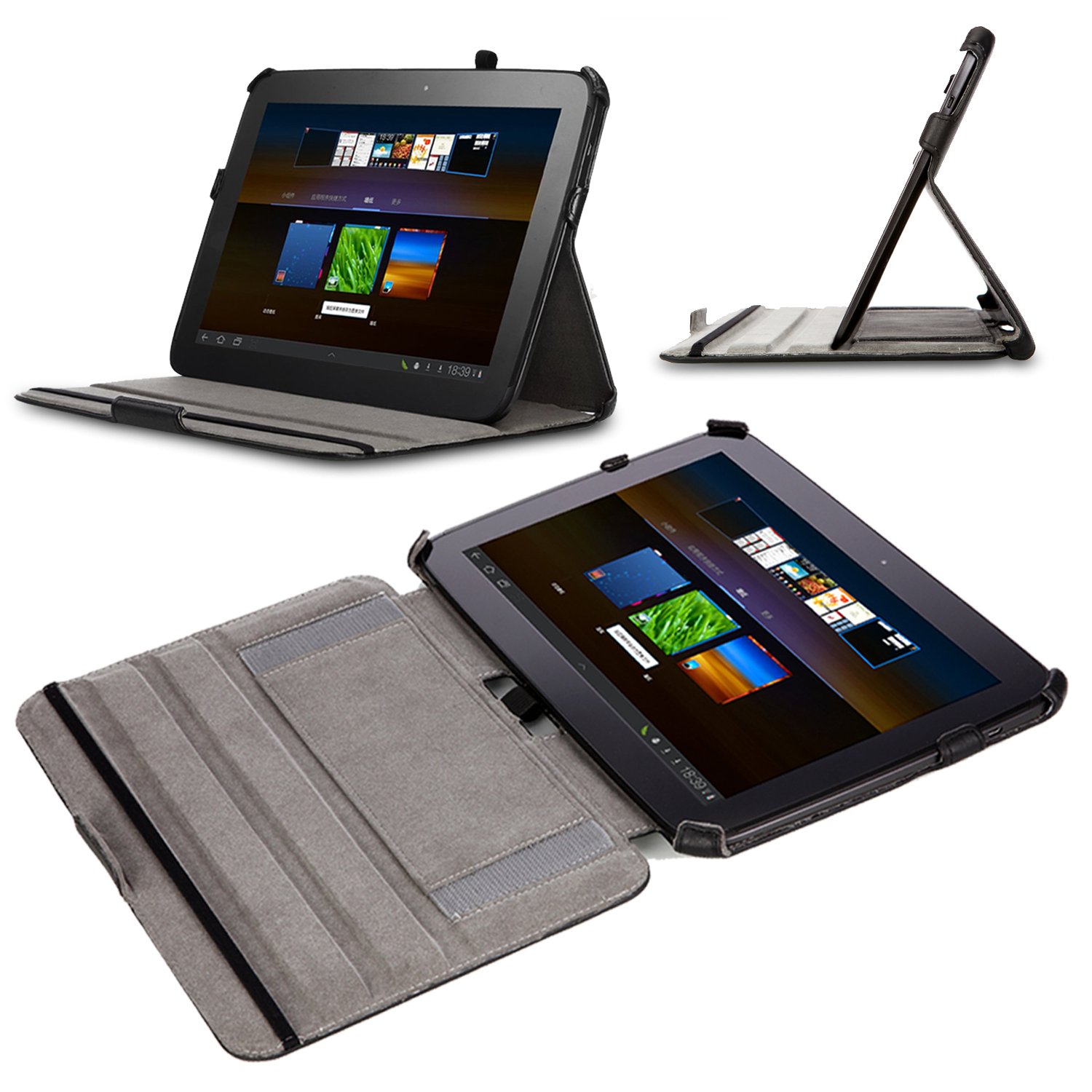
I finally got my hands on all of the various accessories that I ordered for my new Nexus 10. Initially I ordered the combined Poetic Bluetooth Keyboard and Case. For some stupid reason, Amazon do not ship certain items to Australia. I cannot ascertain their logic. I need to have them shipped to a friend of mine who then forwards them onto me. Because I am finding the Nexus 10 absolutely fantastic (I now only take my PC laptop into the office once a month and use it on average a couple of hours a week) I needed a case that was going to arrive more quickly than the Bluetooth cover. So in addition I ordered the Poetic hard case as well from an EBay retailer who would not be so prejudiced regarding my geographical location! The hard case arrived first. It is great, just like the one that I used for the ASUS Infinity. A quality product. I used it for a few days and found 


it slipped neatly into my satchel bag. It seems like so long ago I had a larger bag to carry my laptop and all of the additional paraphernalia. When the Bluetooth keyboard folder finally arrived, I tried to use it for a few days but it was just too bulky. In addition, it only had one stance setting (as you can see from the picture) and it was useless on my lap. The hard case was not a whole lot better but at least you could set it on your lap. Also, if you try fold the Bluetooth keyboard back in order to use the tablet by itself, it is an incredibly bulky package indeed. What to do? Fortunately you can detach the Bluetooth keyboard from its folder. So I tried putting the tablet into the hard case and then put that combination and the detached Bluetooth keyboard into my satchel and bingo, I have my solution. When I want to whip out the tablet and work like it is a tablet, I have a good solution that keeps my tablet safe. When I sit down to write or take extensive notes, I pull out the detached Bluetooth keyboard, set the tablet up using the hard case (which has variable positions) and it works a treat. In addition, the tablet in the hard case and the detached Bluetooth keyboard fits easily into my existing satchel as opposed to the Bluetooth keyboard/case combination (my poor old satchel was bursting at the seams!). When I sat down and did the sums, selling my ASUS Infinity on EBay, purchasing the Nexus 10 and the two cases actually left me about $15AU in front! I'm going to go and find me a nice dumpling restaurant, set up my rig and do some work!


Monday, May 6, 2013

In a transition to Nexus

It has been quite a while since I last posted. I had quite a bit on. I had to move all of my other blogs across from Posterous to various services. For my personal blog of faith, justice and culture I chose Tumblr because the Android app is small, light and incredibly well designed.

For this blog I chose Blogger because I am keen to try and do everything on my Android devices.

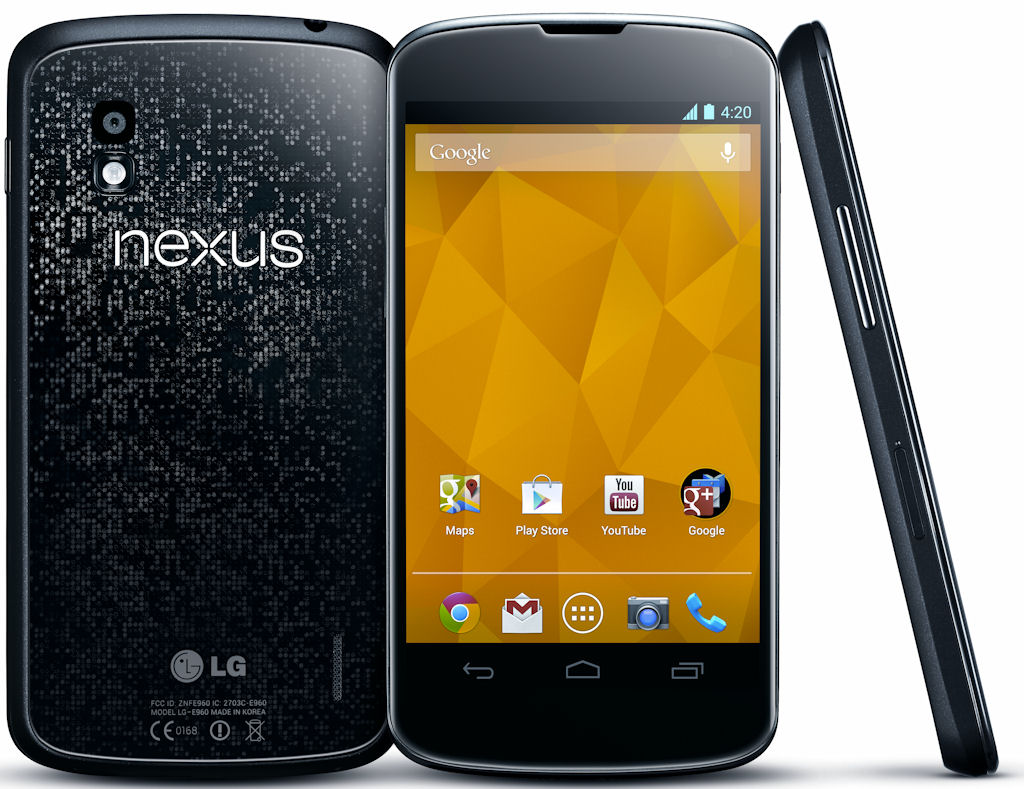
In addition, I have moved from the Motorola RAZR HD to the Google Nexus 4, which I was finally able to get my hands on. I have to say that the difference between the RAZR HD and the Nexus 4 is drastic to say the least. The Nexus 4 is smooth, fast, solid and so much lighter compared to the bloated version of Android on the Moto.

Because I had such a positive experience of the Nexus 4, I splashed out and got myself a Nexus 10. I thought I would try the Nexus 10 for a few days before I decided whether I would continue using the ASUS Transformer Infinity TF700T or the new Nexus 10. Within minutes it became apparent that the different between the two units was significant.

I don't know what ASUS does to Android but the experience of "vanilla" Android on the Nexus 10 is like using a totally different OS. The smooth, solid, slick performance is vastly superior to the ASUS tablet.

I also discovered that ASUS make tweaks to where certain soft buttons appear in the interface that are just counter intuitive. I am really liking the intuitive nature of the Nexus.

I decided that in future, I will only purchase Nexus devices from here on in.

So the transition is complete. I am just waiting on a cover and Bluetooth keyboard which should arrive in the next few days (and for the sale of the ASUS on eBay) and from here on in, blog posts should be a little more regular.

Google News Redux