Showing posts with label Google. Show all posts

Monday, June 18, 2018

Google News Redux

I've been using the new Google News app. Ok, so maybe it is not so new, it's been out for a few months now. Having two Google devices it is had to avoid the app, however, I must say, I am liking it.

Many people have commented on the spookiness of Google using your browsing habits to populate your news feed, however, I am kinda ok with that. It has been fantastic to have my news feed populated with the geopolitical stuff I love reading about (yep, I'm a news junkie) as well as the generic through to the obscure gaming stuff I am interested in too. Everything from E3 press releases through to specific articles on how to prepare your drop deck for specifi missions in the latest release of Battletech the game.


I love the ability to request more articles about specific subject matter and the ability to dive into more articles about the same issue. Adding stuff is pretty straight forward.

On the "Less articles like this" front, I am still a little confused. I mean how many times do I need to do that for NRL articles that it insists on putting into my feed? Not sure what the go is there. Regardless, it is a smalll blip on what has effectively become my morning news read.

Thursday, May 10, 2018

Paperpile has changed my life.

Paperpile has changed my life. For the better!

You know all of those promises about the paperless world changing our lives that only frustrated us and made us become jaded about such a utopia?

The promise Paperpile makes is for real.

This year, I have been accepted into a masters by research program and I needed to look for a solution for the technical bibliography and the inevitable flood of papers that my fantastic supervisors would send my way.

I struggle to be organised. I am organised but it takes effort. The idea of trying to keep several balls in the air, including being across the details of all my research was starting to give me the heeby jeebies.

My previous research efforts involved a combination of Google Docs, MS Word, LibreOffice, Zotero and/or Mendeley. I used Google Docs to do the bulk of the grunt work, and then tried to use various add on's to get the bibliography from Zotero or Mendeley into the document but I had to faff about with MS Word or LibreOffice to manage. I constantly felt discombobulated.

I was certain that I was not the only person who wondered if there was a way to do your citation work inside of Google Docs. And sure enough, after doing some preparation prior to my masters application being accepted, I discovered PaperPile.


PaperPile (for about $3 AUD a month) lives inside of Google Docs. That's it. It all lives inside of Google Docs. No more lost documents, broken computers, hard drive failures, it lives all inside the cloud.

During the free trial period, I started by effortlessly importing my bibliography from Mendeley into PaperPile. Push of a button stuff. And not one formatting error.

Once done, I start writing. When I need to cite, I place the cursor at the correct place in the document and hit the PaperPile icon that appears in the Google Docs ribbon. An unobtrusive search box opens at that point and I start typing. It interrogates my bibliography first. I hit another button and I get some simple formatting options if necessary, otherwise it is that "push button" thing happening again.

The exciting part for me (well there are two, the second of course being it is all online, I am not tied to any particular device) is that if you find articles anywhere, you can add them to your bibliography easily or you can actually use the initial search box to find a/the relevant document you need to cite and with, yes you guessed it, another simple push of the button, add that new document or book to your bibliography.

Like I said, it is about $3 AUD a month, but I would have paid much more than that for the peace of mind I have around this new research project (please don't read that PaperPile! $3 AUD is steep for a student!).

Check it out, see what you reckon.

Wednesday, May 2, 2018

New Gmail

It's been a while between posts. I have been teaching an intensive.

The big news since the last time I have posted is of course the new GMail. There is a bunch of great articles about the features on other sites. There are three things I would like to focus on insofar as the new features are concerned from a productivity point of view.

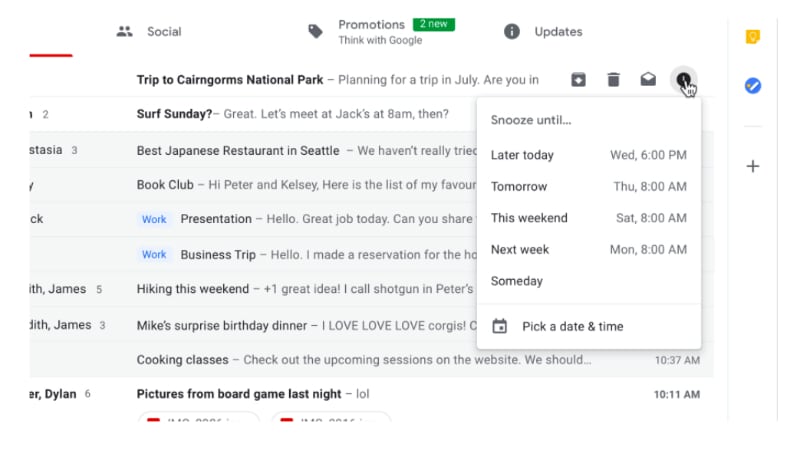
The first is the snooze function.
Snooze IS AMAZING! You can quickly move through your email inbox and snooze messages that you don't want or have to deal with. This has the effect of being able to use your GMail inbox as a task list. This functionality has been available in Google's Inbox for a long time now, but the difference between this recent GMail change and Inbox is that instead of having to change the way in which you manage your workflow based on how the designers of Inbox think you need to work, you can take this one feature of Inbox and implement it in your GMail based workflow.

The second thing I want to mention is the closer integration between Google Tasks and GMail. Previously you have been able to convert your emails into Calendar appointments but now, you can convert emails into tasks and Google have released a new Tasks app.


Seriously, this app has been a long time coming. It is simple, clean and has a small memory footprint. It is a great front end to the Google Tasks that has existed since they first implemented tasks. Being the productivity geek that I am, I was onto it right away. However, in spite of how this could totally simplify my life, the current implementation lacks tags and/or filters. My workflow heavily influenced by GTD requires that my to do system gives me the ability to see all my tasks but then whittle my list down according to (multiple) contexts. So I have installed the app on my Pixel 2 and Pixelbook and will keep an eye on it each update seeing if the powers that be add this feature some time in the future.

The third thing I want to note is Offline Gmail. Most people are unaware that if you use Chrome, there is actually the ability for you to use Gmail Offline. It has been around for years now however the interface is very 2000's. Buried in the copious detail regarding the new GMail was reference to the fact that in a few weeks after the launch, all of the new goodies will be available in an offline version. Now that is something I am pretty excited about. I will keep you posted on that front.

Wednesday, January 17, 2018

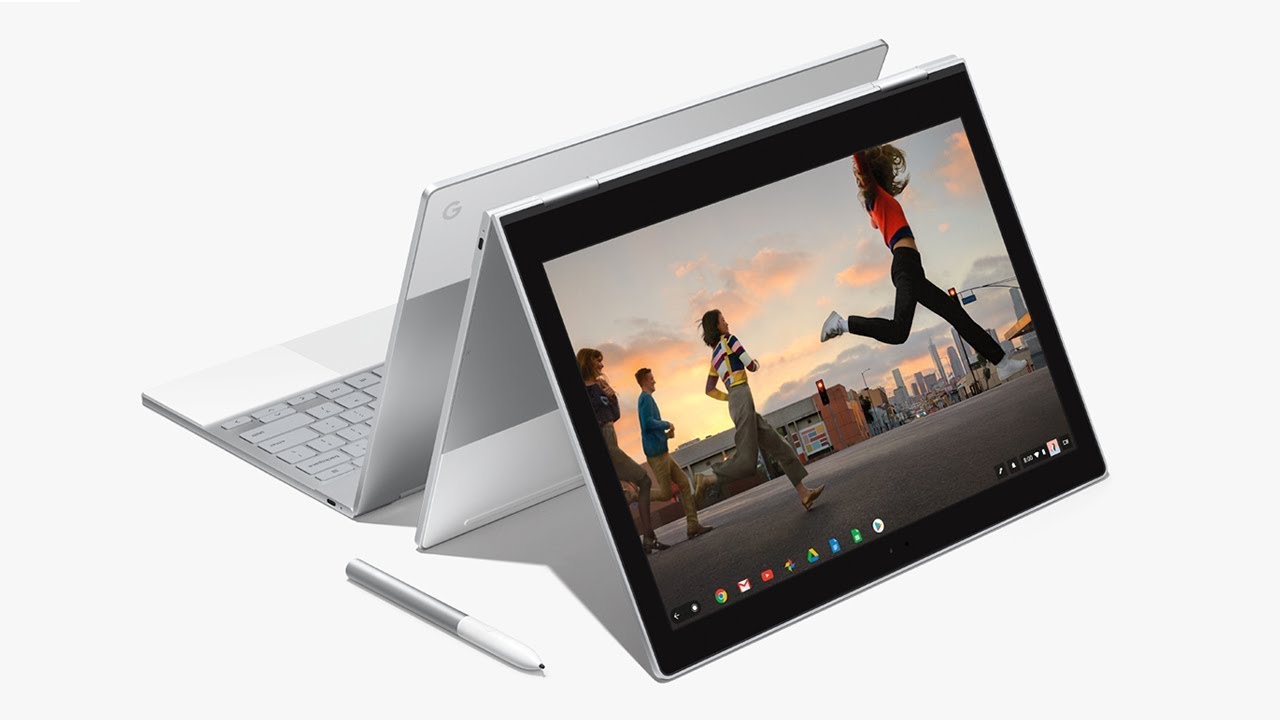
The Pixelbook has landed for a happy new year

What a debacle it took me to get this Pixelbook! (Which I am finally on, YAY! More on that in a second.)

For some reason, back in November of 2017, Google were not delivering Pixelbooks to Australia. So I had to get a US based friend of mine to do the old "send it on" for me. The great frustration was that when FedEx failed to deliver (to an apartment in downtown San Francisco occupied by four people!), they sent it back to Google.

Google then organised a new delivery as part of the insurance coverage which I ordered on the original device which was cancelled because of their screwy ordering system. When the insurance replacement device arrived, Google had to organise to pick it up (so the third device which was part of the second order) could be dispatched. Except, Google could only order a pick up from my Australian address!

Long and short of it was the device I ordered in November arrived in the second week of January. What a chore!

BUT, it is here and I am loving it.

I will keep this first post of the new year short.

CONS:

  • It is heavy. Heavier than the Pixel C.
  • Bending it into "tablet mode" still feels a little cumbersome and unnatural (ie: holding a tablet with keys on the back of the tablet.
PRO's: Where do I start?

  • The "on in seconds" feeling is great. Two seconds and I am working.
  • Android apps on Chrome OS is amazing, and I hate the hipster use of "amazing" and "perfect". The implementation of Android apps is close to flawless. Which means my significant investment in Android apps over the years is not lost in the transition to the Pixelbook.
  • The hardware is such that my Mac lovin friends are like "wow". However it is not excellent because it makes people envious. Google have really thought through the design of this thing. It looks great, it feels great to use. The keyboard, the track pad, jacks and slots, nothing short of excellent quality.
  • Split screen? Apparently split screen is coming to Chrome OS on the Pixelbook, however I just don't need it. I mainly use Android apps and most of them when resized appear as thin panels. I can have several open at a time. It is actually more productive than the Pixel C in split screen.
  • OS is fast, zippy and super solid.
That is my short summary so far. I will write more about this in the next few weeks but needless to say, really impressed and really happy with this new kit.

Let us know about your Pixelbook experience and of course, if you have any questions, just ask!

Monday, December 18, 2017

Oh Google, what have you done? Or "reevaluating my life choices..."

I have to admit, my patience as a Google fanboy are growing thin.

Firstly on the Pixel C drama. Well, to be honest, Google were pretty good here. I did the old "hit the button in the support section on your Android phone" and I got a call back from Google within 3 minutes. They were great and I had my replacement Pixel C dispatched the same day and within a few days I was back on the horse. So full marks to Google there.

Then there was what I am calling the great Pixelbook ordering fiasco.

I bit the bullet and decided that I will replace my Pixel C with a Pixelbook

So I jumped onto the Google store and problem #1, for some reason Google will not deliver the new Pixelbook to Australia. I will explain why this is really crazy in a minute.

So I organise a friend of mine who lives in San Francisco to be my go to person. I set up her address as my US based delivery address. Order the Pixelbook, a cover, a pen and the extra insurance on the device.

Google use FedEx and I have to say that for my first experience of FedEx, I am underwhelmed to say the least. FedEx were unable to deliver the package to an apartment in downtown San Francisco, which is shared by three people, of which at least one person was in the apartment during the times FedEx claimed they attempted delivery. For whatever reason, FedEx indicated they were unable to deliver the device, so rather than leave it at a local FedEx or UPS depot to be picked up when it was convenient for my friend to do so (even though she or one of her friends were present the whole time), FedEx decided to send the package back to Google. Yep, you read that right. But wait, there’s more!

In my conversations with Google, they can’t just try to resend, they need to cancel the order and I need to start all over again. I do so. I wait for the credit hold on my credit card to release the funds back to me, replace the order, only to get another email from Google saying that the insurance department (remember, my first order included insurance) had been notified that my initial device was not delivered, and a replacement unit had been dispatched. This is after the initial order had been cancelled and my account had been credited with the initial amount.

When I placed the second order, the Google store informed me that the pens and covers were out of stock. (I ordered a cover and a pen from Amazon instead, who delivered those items directly to my Australian address.)

Spoke to Google again, they tried to arrange a pick up of the insurance replacement device (from the first purchase) that had been dispatched, yet their system would only allow a pickup of the device from my Australian address, not the US address. So Google’s system can only deliver a Pixelbook to a US based address, but it can only pick up a faulty device from my Australian address. No words.

Anyways, after a couple of weeks faffing about, we got it sorted and here I sit, in Australia with my Pixelbook cover and pen, eagerly awaiting the arrival of the actual Pixelbook itself that was dispatched by my kind and long suffering San Fransico sister!

I head off to my local cafe to give an update on these series of dramas where I usually blog from, only to discover that the Oreo 8.1 update on my Google Nexus 5X has broken the wifi hotspot function. (News flash: If you are not able to tether on any Google phone you own that has been updated to 8.1, it is an official bug!)

So I end where I started, oh Google, what have you done?

I trust that when the Pixelbook finally arrives (hopefully before Christmas, Merry Christmas me!) all of the dramas will be forgotten and I will be filled with new purchase endorphins and extolling the virtues of this wonderful piece of new kit!  

Monday, August 21, 2017

Using Google Inbox

I have recently altered my working arrangements. It meant that my GTD based to do system was a little bit of overkill for my new working arragements. I thought that I would take the opportunity to try out Google Inbox. I have been using it for about 3 months now and it is doing the trick.

I have all of the various email addresses I use funneling into the one Gmail account. It is that account that I use Inbox with.

I appreciate the ability to quickly swipe tasks and assigning a future date for them to reappear, so that I can focus on what needs to be done today. This is perhaps the one thing I would love to have on an Android based GTD system. The ability to quickly (one swipe with Inbox) remove the task from todays view and organise it to reappear at one of several pre set dates.

Inbox uses Gmail's tags but what I have been unable to ascertain is how to get Inbox to work with an email with more than one tag. For example, scheduling phone calls for a future date but also tagging it with @Calls so that the date deadline can press me but at the same time, if I find I have time to make calls before the hard date is something that I have not been able to fathom. (Of course, if any of you know how to do this, I would value your comments and instruction!).

My working arrangements are about to change once again, so something that combines the tagging of tasks with contexts, the ability to very quickly set and change dates to a number of presents and something that allows me to work directly from my Gmail inbox would be the holy grail of productivity.

Tuesday, August 30, 2016

Pixel C Spilt Screen has arrived!


Guess what you are looking at? That's right! It is my SPLIT SCREEN Pixel C. I was on the train this morning and I was notified that my Pixel C's official Android 7.0 update was available. I accidentally hit ok and the download chewed through the last of my mobile data allowance for the month (roll on September 4!) and within 10 minutes, the Pixel had downloaded and installed the update, rebooted and then ran through the app udate process. I worked for the last 10 minutes of my morning train commute with Android 7.

I may be too much of a fanboy or 7.0 is smoother than 6.1. It seemed to transition between things more smoothly and the OS animations also seem smoother and snapier.

In the last 30 minutes, I have only played around with split screen, notifications (great improvement there) and editing the pull down settings bar (finally!). All in all, 7.0 had been a positive experience on my primary device. I'll keep you posted.

Tuesday, August 9, 2016

Handy Google Maps Article

A short article from my local newspaper about some oft unknown Google Maps features. Worth the read.

Friday, February 19, 2016

Google Now

When I think about what I will blog about here, I grab my phone or tablet and spend a few seconds thinking about the apps that I use on a regular basis that help me be productive.

Today, not only did I think about Google Now, but I also thought about how it is such a seemless part of my daily prooductivity routine that I almost did not realise that this was the case.

There is something about using an app like that, one that becomes so seamless, so much a part of the way in which you work and play that you don't realise that it has become part of your subconcious routines.

Weather, package tracking and delivery, travel, timetabling, right down to suggesting stories it grabs from the web based upon my search and reading habits, Google Now is very much a part of the way I work.

I was most delighted with a recent update to the app. I recently had an organisation book travel for me as part of my work, and Google Now took the flight information from the confirmation emails, added it to my Google calendar, and gave me timely reminders without my having to lift a digital finger.

If you are not using Google Now, give it a shot. It can feel a little intrusive, and sometimes I still get a pang along those lines, however dip into it and turn it on (you need to opt in to Google Now) and give it a whirl for a few months. See what you reckon.


Tuesday, February 9, 2016

Google Photo's is amazing!

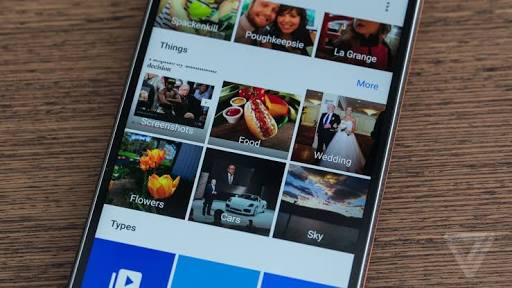
I am not sure when it happened, but suddenly Google Photo's became amazing. If you are not aware, you can choose between two modes of file storage. You can choose to store your photo's at the same quality that you took them, OR if you choose the standard photo storage size, you get unlimited (yep you read that right) storage of your photo's in Google Drive. Forever. That's it. No catch. That is the hook that first got me started.

However, the app on Android and then the web site just seemed to make a rapid number of incremental changes until it is now one of the apps that I use frequently, and it is a joy.

I think that unless you are in the media industry and have a need for particularly large files sizes for your photo's, the standard setting (which is called "high quality") is really all the average photographer needs.

What is great about Google Photo's is, like most of Google's apps these days, it is available on iOS. I have helped two of my Apple totting friends with stuttering iPhone's take advantage of the feature that removes photo's from your iPhone once they have safely been backed up to Google Drive. The free space, improved performance, ease of use and the way that we can now collaborate on projects together seamlessley across the ecosystem divide have made them rubberneck by Nexus 5 at least one time a peice.

Get on it. Google Photo's is great.


Monday, January 11, 2016

Time for an upgrade!

So it was time to upgrade. I traded in my old Nexus 10 and 9 and then scrounged another couple of hundred bucks and here I am writing this blog post from my new Pixel C, complete with keyboard.

This is what Google should have done years ago, taken control of the design and construction of their own hardware.

It is solid, beautiful to look at and of course having total control over the hardware and software means that this thing actually sings.

I can see me leaving the laptop at home more often now.


Tuesday, August 18, 2015

Nexus 9 Nightmare

What a nightmare. My Nexus 9's performance seemed to deteriorate week after week, even after updates to the point it was crashing twice a day with a terrible screeching white noise effect to boot. After three factory resets, I called Google. To their credit, they answered within ten minutes and after another ten minutes over the phone, agreed to replace the unit.

I had to take my Nexus 10 back from my four year old daughter and am surprised how stable that is in comparison. Once I get the deposit together, I'll ship her off and see what the replacement unit looks like once it's dispatched.


Thursday, February 19, 2015

Google Read, really impressed.


I get loads of PDF's. I have to download, read and annotate many of them too. It was really by accident that I realised that I can upload my own PDF's into Google Read and access them across all my devices.

I was searching the web recently for back issues of a magazine I like to read when I have some spare time. I was prepared to whip out the credit card and pay for them. Low and behold, they give issues that are older than two years away for free. So I downloaded a bunch. Where to store them? Turns our Google Read is a great facility.

I am aware that Amazon offers the same service, however having two Android devices, it just seemed like the most intuitive way to manage the magazines.

I'd be interested to hear if others use Google Read on a regular basis. What is your experience of it?

PS - If you are about to either (a) ask where I got the D&D 5E versions of the books from or (b) slam me for having illegal copies which they actually are, I only downloaded them (and uploaded them to Google Read) after having purchased the original books.

Monday, November 17, 2014

Obligatory Google Inbox Update

Yes I was one of the lucky ducks who got an invitation to Google Inbox. Coming from a GTD background, I was generally distressed that the only context you get to choose from is a physical location. This is pretty handy. The only other way to sort tasks is via date. So the vast majority of my tasks which have to do with contexts rather than places or dates are not processable using Inbox's current setup.

I have left a suggestion that you should be able to label you email and reminder tasks with more than one label. This will give me the ability to check out all my tasks tagged "@Calls" for example and then differentiate between @Personal @Calls and @Work @Calls.

If this is available in an update, I reckon I will give it another bash. Otherwise I will keep using Zendone.


Wednesday, September 10, 2014

Great news today from Apple.

Great news from Apple today. Some time in 2015, you can get a bunch of gear that is available now on the Google Play store for about half the price!

Thursday, August 14, 2014

Chrome Omnibox (Address bar) Magic

So I accidentally discovered that there are some cool shortcuts when using Google Chrome.

  • "d" will take you to your currently logged in Google Drive account.
  • "k" will take you to your currently logged in Google Keep page.
  • "p" will take you to your currently logged in Google Plus page.
Nice! Think of all the time saved by cutting out those superfluous keystrokes!?

Thursday, April 3, 2014

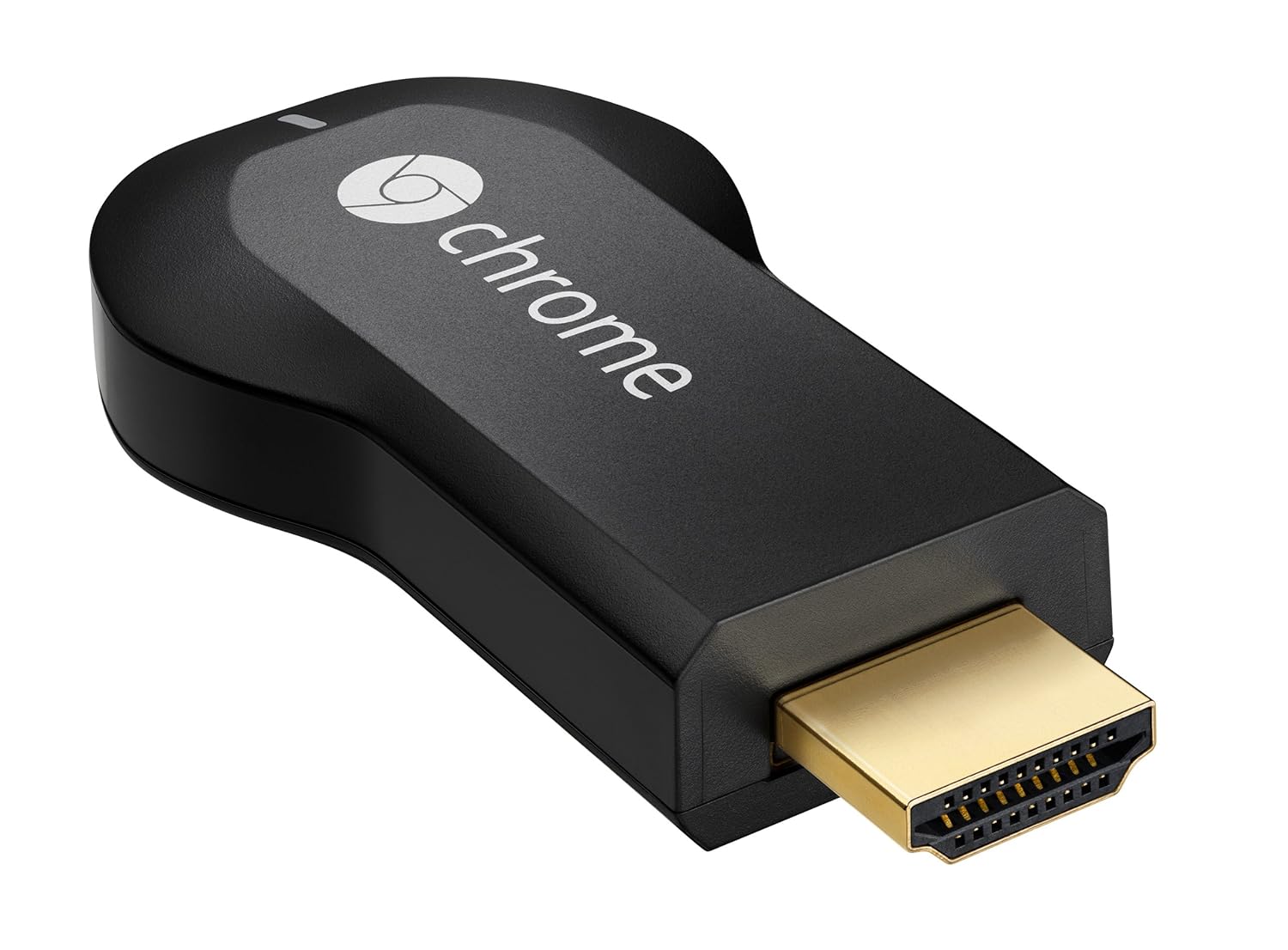
The Chromecast Revolution

I bought one of these puppies for a cool $35 (Australian) when Amazon accidentally made them available to ship to Australia for about a three day period late in 2013. It turned up and I was so pleased with the utility of the thing, I ordered another one. The second order was a little complicated as Amazon shut us Australians down, but it was nothing a good friend of mine who resides in Kentucky couldn't sort out for me.

So I have a Chromecast at either end of the house, and the apps that I use most often are DS Video (as I have a 3TB Synology NAS at the centre of our home network) and in what in my opinion is the most robust solution for those without a Synology NAS, Allcast. Trust me, just don't bother with the other third party video casters. They are rubbish.

Allcast is slowly and regularly (at least one update a week if not several) becoming the most robust and well rounded app for finding your media on the local network and in the cloud, and then casting it to your device.

Thursday, March 13, 2014

Google Warranty Part II

So, Google despatched the new unit, and it arrived in 3 days! Now the reason that is pretty impressive is because they despatched it from Singapore and I live in Melbourne, Australia. That's like 3,765 miles. Give or take a foot or two. I'm sitting here on my porch writing this on my new Nexus 10 waiting for the courier to arrive to pick up my old unit. Thank you very much Google warranties!

Tuesday, March 4, 2014

Google Warranty

My Nexus 10 died! :( What was pretty spectacular though was my experience of chasing up my warranty with Google. I Googled "nexus 10 warranty" and within seconds had a 1800 number (which is a free call in Australia) and after 60 seconds on the phone, I was talking to a real life person. After verifying that the device was dead, I had to purchase a new one, however the money will be held in an escrow arrangement until I get the new one, place the old one in a postage bag provided and it returns to the factory for assessment.

So far so good! I'll post my experience in the next few days.

Wednesday, February 5, 2014

Group text and email on Android

I still can't believe that the Gmail app on Android, in 2014, will not allow you to interact with your GMail groups! It is crazy to think that you need a third party app to send emails and texts to your GMail groups this late in the technology game.

I understand that they are trying to discourage spam masters from clogging the internet from their mobile devices, but there should be another way.

Enter "Group SMS & Scheduler". It's ugly, but in terms of functionality, it is the best one I have been able to find. It still seems a bit of a convoluted process and I live in hope that one day Google will make the functionality available natively. Until then, give this one a crack.

Google News Redux