Showing posts with label Facebook. Show all posts

Tuesday, February 20, 2018

Buffer App breathes life into Google+ once again

I used to use Buffer once upon a time. (In a future blog post I will talk about how I figured out how to get the best out of scheduling.) In short Buffer allows you to queue posts to various social media platforms and release your content using a reasonable powerful scheduler. The free account has a significant number of features.
I tend to use Facebook because I have to rather than because I want to. As an educator who does a bit of public engagement work, I tend to use Facebook and Twitter as communication tools rather than social tools. For social stuff, I prefer to use Google+ (queue "fan boi" accusations!)

In a previous life Buffer only allowed you to post content to Google+ "pages" attached to your account rather than to your personal feed. Some time between the last time I used Buffer and the most recent time, this has changed.

So now with Buffer, I can schedule more professional stuff that is pushed out to Facebook, Twitter and Google+ personal page, and then push the more personal (often geek humour) out to those platforms as well. In addition, I can schedule stuff to be pushed out to my Google+ personal page too which is really nice.

So I got back on the Buffer bandwagon after an hiatus and am enjoying it once again.

If you haven't checked it out for a while, it might be worth a revisit.

Tuesday, May 30, 2017

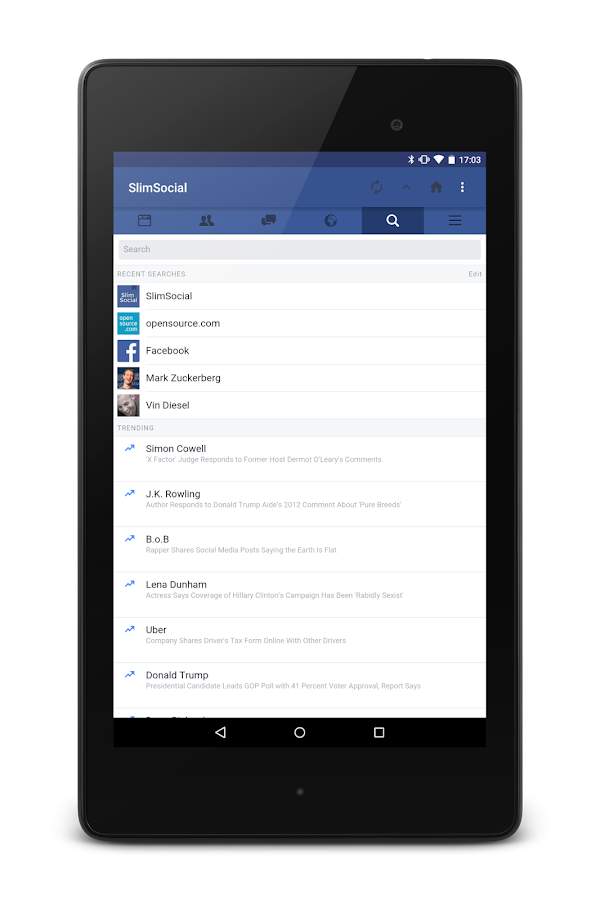
Slimsocial, Facebook lite.

It's been a while. Sorry about that. The real job has been a little demanding lately.

Speaking of the real job, I need to use Facebook for work. I am not a big fan of Facebook and often wonder what my life would be like without it? More on that front later.

I have mentioned before that Facebook apps are not the best of Android friends, namely for power conservation reasons. I find that both the Facebook app and Messanger tend to be real battery hogs. So what to do?

A brief search resulted in my discovering Slim Social.
It is a simple Facebook wrapper. It is quick, lite and you can access Facebook messages from within the app without having to install Facebook Messanger (although this is not what I do, more on that in another post).

Occasionally it breaks (when Facebook changes something to try and force you back to their apps) however the developer tends to get that sorted in a day or three and you are back in business.

Been using it for close to a year now and find it does all I need and is kind to my battery.

Have at it you good things.

Monday, October 24, 2016

Facebook Messenger eating your Android battery?


I use Facebook mainly for work. Not a huge fan of the social media platform, being an avid Twitter user myself. One of the things I dislike about Facebook on Android (apart from the crass way it dominates many aspects of your device) is the terrible wear on your battery. I find battery longevity is around 20% greater when I have Facebook Messenger installed on my Nexus 5X or Pixel. What to do?

I use Slim Social as the primary way in which I interact with Facebook on my Android devices (more on that next week) however for messaging, I discovered Disa. It is a reasonably simple app that surprise surprise, does messaging! You can use it for texting, WhatsApp and Facebook however I simply use it for Facebook at this stage.

It has a slightly clunky feel to it, however in terms of functionality, it does everything that Facebook Messenger does sans the drain on your battery. You do get the option to have it poll regularly but this comes with a battery drain warning which I appreciate.

It does the trick, doesn't impact upon my battery as much as regular Messenger and sits quietly in the background. Simple. Done.

Monday, November 24, 2014

Think Facebook's separate Chat App is bollocks?

If, like me, the thought of installing a second bloated Facebook app on your Android app was a bit of bollocks, this might be of interest to you.

The chat function is not dead in the Facebook app, its just been disabled.
If you head over to this Life Hacked link, you can find a link to Facebook Chat Reenabler, and you are on your way!

Google News Redux