Ever since I downloaded Oreo for the Pixel C, it has been hell on a jetski.
I have had no problems on my Pixel C. Ever.
I download Oreo and I get the dreaded dark screen (your Pixel C turns on but the screen is so dark you cannot read any of the screen prompts), reboots, split screen fritz and random reboots.
If I was cynical I would suggest that Google put code in Oreo to make Pixel C users so frustrated that they purchase the Pixelbook out of frustration.
Seriously very poor form from Google.
I have two options as far as I can see it.
Purchase the new Pixelbook which I was going to anyway.
Enrol the Pixel C in the Android Beta program (https://www.google.com/android/beta)
The problem with most of the reviews of the Pixelbook is that reviewers are largely comparing it to other Ultrabooks. Few reviewers are comparing it to other Android tablets.
I read one article that suggested that the reality is the Pixelbook is the new Google Android tablet and that is the future. I am a little bumbed that you can't detatch the keyboard but there would be no point to that as it is primarily a Chomebook.
Regardless, I am going to enrol my trust Pixel C in the beta program and see if that does not fix the fritzing problem because I would rather choose to upgrade my hardware according to my own timeline rather than Googles.
I have started researching the replacement for my Google Pixel C. Don't get me wrong, there is nothing wrong with it at the moment. If anything, after the Oreo update it actually seems to be a little zippier. I am writing this blog post (and doing a ton of other stuff on it today from my local cafe) and all in all, I still think it is the best bit of harward that Google have ever produced.
However, it is only a matter of time before it will not be able to keep up with my needs. So, thinking that I will need to research a replacement in about a years time, I have started looking around.
I swore years ago that I would never get a Samsung device again. The decision was made on the basis of Samsung's way of loading their devices with bloatware and the way in which they bastardise Android. However in terms of the 9 to 10 inch tablet form factor, I do not see that there are many other options.
Two of the possible alternatives are the Remarkable and the recently (as of yesterday) leaked Google Pixelbook.
As a knowledge worker in the area of tertiary education and coaching and professional development, I have found the case for the Remarkable pretty compelling. I mainly read, write and the idea of a device that will not break the concentration (ie: no Twitter, Facebook, Whatsapp interuptions hardcoded into the device) is as I said quite compelling. Check out their Youthube video propaganda and see what you think.
Going the way of the Remarkable would still leave me at a loss insofar as the other tablet related things that I need to do, namely the aforementioned social media messaging, posting and communication. I am unsure as to how the Remarkable interacts with things like Google Drive (which I have a significant investment in) so there would need to do some serious research prior to committing to what from a distance appears to be a really compelling and cool piece of tech.
I have also alluded to the fact that there was a "leak" yesterday in relation to a slew of new Google devices about to be announced in a few weeks time. I was really really hoping that Google would suprise me with an announcement about a replacement for the 2015 Google Pixel C.
I was initially saddened but over the last 24 hours have become not a little bit curious about what the leakers are referring to as the Google Pixelbook.
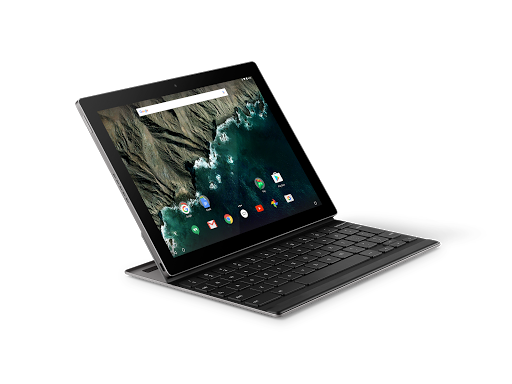
It appears that the Pixelbook is a Google designed and manufactured Chromebook. (Check out this article on The Verge about yesterdays leak.) This one appears to come with a stylus too, which for me personally has become increasingly important as I have always been the kind of person to carry several paper notebooks and then scanning the contents to Google Drive.
I have never used a Chromebook and have been tempted several times. The ones that seem durable enough for my knockabout lifestyle however start to cost the same as an entry level laptop which has been my most significant point of resistance.
I am cautiously curious about this one however. It seems to be a foldback type laptop so that you can use the device as a tablet. The other points of caution for me are using ChromeOS over Android, the inability to separate the keyboard from the tablet (like the Pixel C) and of course the price.
I will continue to watch with curiosity and see what happens on October the 4th which I believe is the date that Google will be making their annoucements.
Watch this space.
Oh, and of course, if anyone does know of a successor to the Pixel C, drop me a line.
I have recently altered my working arrangements. It meant that my GTD based to do system was a little bit of overkill for my new working arragements. I thought that I would take the opportunity to try out Google Inbox. I have been using it for about 3 months now and it is doing the trick.
I have all of the various email addresses I use funneling into the one Gmail account. It is that account that I use Inbox with.
I appreciate the ability to quickly swipe tasks and assigning a future date for them to reappear, so that I can focus on what needs to be done today. This is perhaps the one thing I would love to have on an Android based GTD system. The ability to quickly (one swipe with Inbox) remove the task from todays view and organise it to reappear at one of several pre set dates.
Inbox uses Gmail's tags but what I have been unable to ascertain is how to get Inbox to work with an email with more than one tag. For example, scheduling phone calls for a future date but also tagging it with @Calls so that the date deadline can press me but at the same time, if I find I have time to make calls before the hard date is something that I have not been able to fathom. (Of course, if any of you know how to do this, I would value your comments and instruction!).
My working arrangements are about to change once again, so something that combines the tagging of tasks with contexts, the ability to very quickly set and change dates to a number of presents and something that allows me to work directly from my Gmail inbox would be the holy grail of productivity.
It's been a while. Sorry about that. The real job has been a little demanding lately.
Speaking of the real job, I need to use Facebook for work. I am not a big fan of Facebook and often wonder what my life would be like without it? More on that front later.
I have mentioned before that Facebook apps are not the best of Android friends, namely for power conservation reasons. I find that both the Facebook app and Messanger tend to be real battery hogs. So what to do?
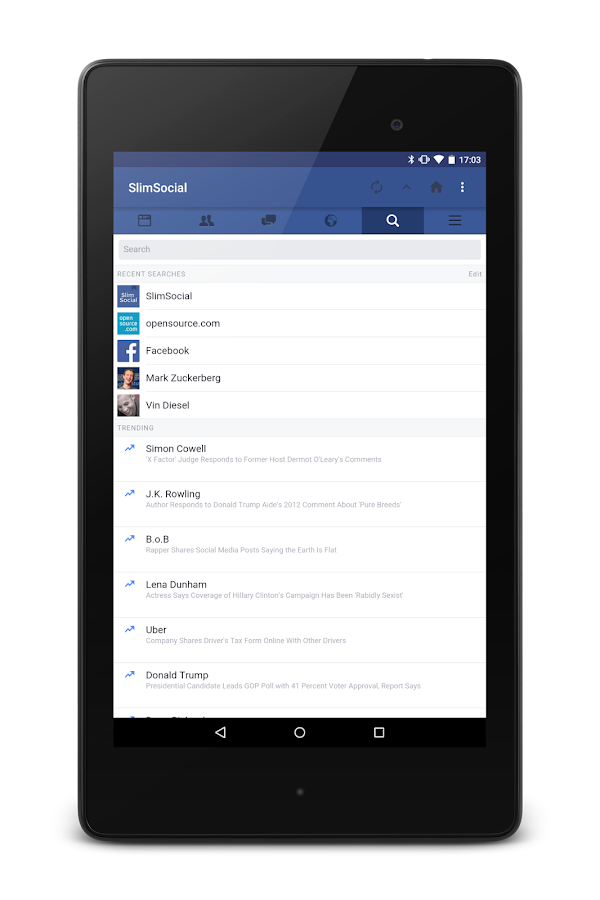
A brief search resulted in my discovering Slim Social.
It is a simple Facebook wrapper. It is quick, lite and you can access Facebook messages from within the app without having to install Facebook Messanger (although this is not what I do, more on that in another post).
Occasionally it breaks (when Facebook changes something to try and force you back to their apps) however the developer tends to get that sorted in a day or three and you are back in business.
Been using it for close to a year now and find it does all I need and is kind to my battery.
I have been using Pocket (formerly "Read it Later" as my go to collecting app. If you are unfamiliar with Pocket, it acts as a vacuum cleaner, collecting all your web pages, documents and such that you want to read later is a wonderfully designed app. It is great for stripping away clutter from longer web pages you would like to read at a later date.
One of the challenges I have had is with PDF's. You can send PDF's to Pocket, however it is a little convoluted.
The caveats include:
The PDF has to be hosted online.
It may mangle images in the PDF.
You need to go to this url and post the url of the PDF.
I'm in the process of ending my relationship with Evernote. I find it very difficult to view the changes to Evernote's model as anything other than a cynical money grab.
I used Evernote for years, most of those as a paid premium subscriber.
My main frustration with Evernote was the limit in the file structure. You had a stack then notebooks were placed in stacks. This two teired file structure was always an issue for me as there are some projects that simply require a greater degree of granuality for my use. I dealt with it and tried to make the system work for me.
The deal breaker became the decrease in Evernote's search function within the Android app. Starting about two years ago when I tried to search for notes within the Evernote Android app, regardless of what I was searching, the search would yeild zero results.
However when I conducted the same search on the Evernote website, I could find what it was that I was looking for.
During that time, I started relying on Google Keep for simple notes (like work related wifi passwords etc) and Google Drive for more complicated documents as the search function in Drive (and Keep for that matter) is far superior to my experience of Evernote on Android.
So for a few months I was in a holding pattern between the twe services. I have a couple of documents explaining how to convert my Evernote notes to several services including Google Drive and Google Keep. The precipitating incident was Evernote's price hike and series of limitations on current products.
So it is off to Drive and Keep land for me (as soon as I get a chance to work through those conversion instructions).
Interested in your experience of notes and file storage?
I mentioned that I would notify you the moment Android Pay bevame live at Bendigo Bank in Australia as soon as it was available. How remiss of me as it has been available for about 6 weeks now. *Blush*
Um, er, so here it is! I have added all of my Bendigo Bank cards, my work based card from a smaller credit union bank, and a slew of loyalty program cards. This loyalty card program feature is quite nice (or intrusive depending on your perspective) in that the app will notify me when I am in range of an establishment that I have a registered loyalty program card for. Handy feature, especially if one of them is for building and harware store (Mitre 10, I'm looking at you!).

:format(webp)/cdn.vox-cdn.com/uploads/chorus_image/image/56758501/google_pixelbook1.0.jpg)